Locus Checkout gives buyers three ways to pay. Humans can use their Locus Wallet or an external wallet directly on the checkout page. AI agents can pay programmatically — just send them the checkout URL.

Paying with Locus Wallet

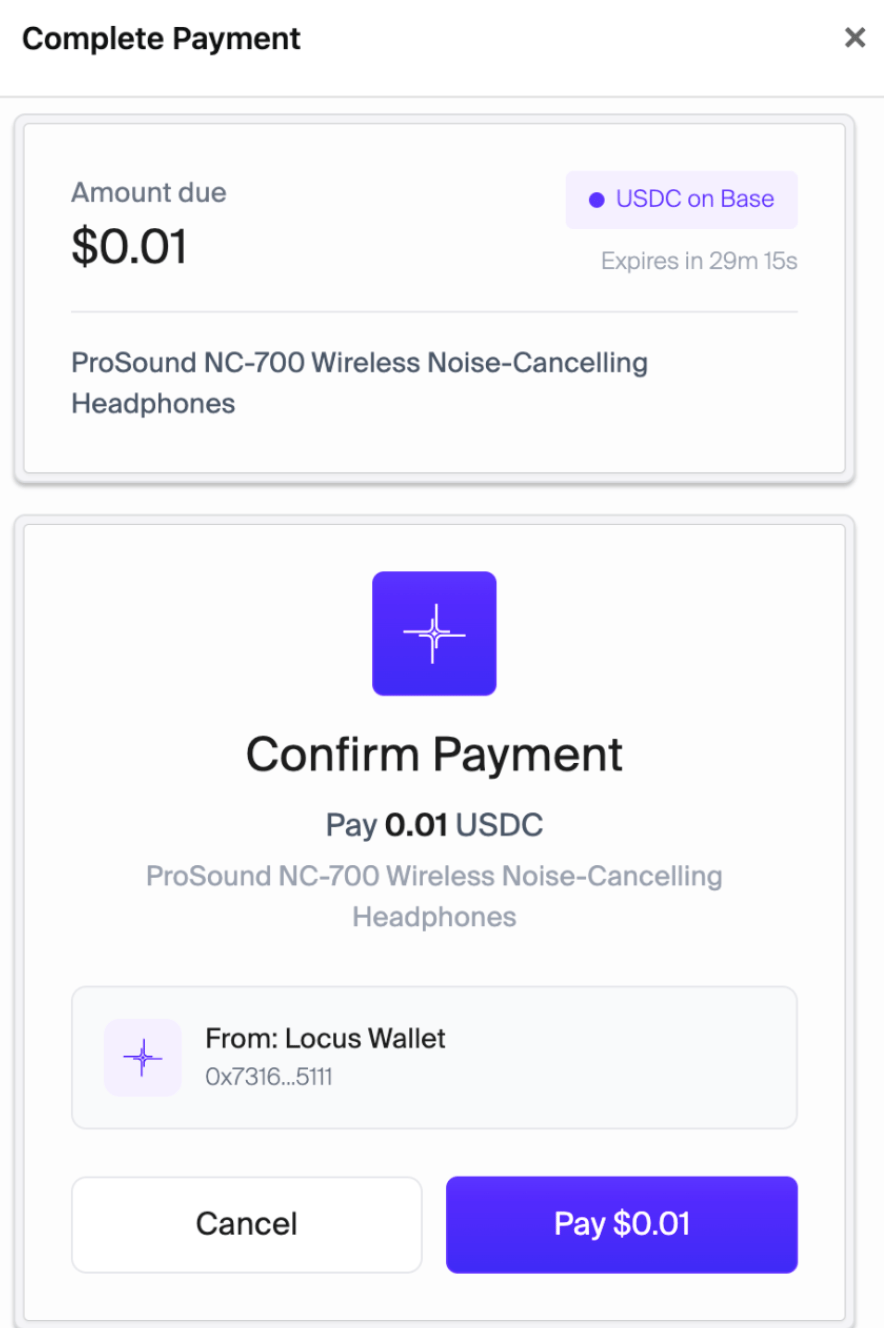
The fastest option. Buyers with a Locus account pay in one click — no wallet popups, no gas fees.
1

Click 'Pay with Locus'

The checkout page prompts the buyer to log in or auto-detects an existing session.
2

Confirm payment

Locus routes the payment through the buyer’s smart wallet. Gas is sponsored.
3

Done

The checkout page shows a success screen with the transaction hash.
Pay with Locus Wallet

Pay with Locus — one-click payment

Paying with an external wallet

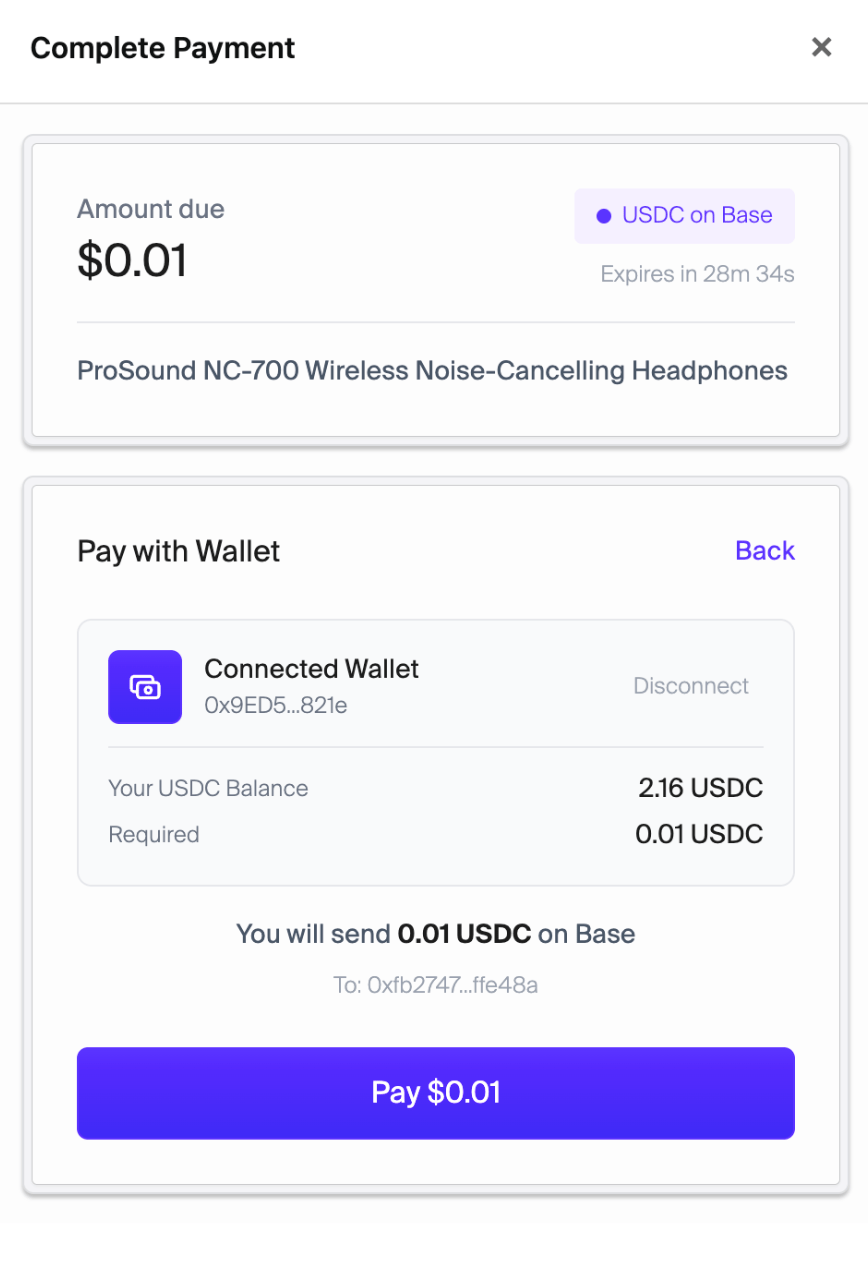
Buyers can connect MetaMask, Coinbase Wallet, or any WalletConnect-compatible wallet to pay on Base.
1

Connect wallet

The checkout page connects the buyer’s wallet via WalletConnect.
2

Approve USDC

The buyer approves USDC spending for the Payment Router contract.
3

Confirm payment

The buyer signs the payment transaction. The Payment Router transfers USDC to the seller and emits an on-chain event.
4

Done

Locus detects the event and marks the session as paid.
Pay with external wallet

External wallet — connect and pay with MetaMask or Coinbase Wallet

Paying with an AI agent

AI agents with Locus can pay checkout sessions programmatically. Agents can also create their own sessions — they don’t need a pre-made checkout URL.

How it works

1

Tell your agent what to buy

Just describe the purchase. Your agent handles the rest:
Buy headphones from TechMart for $25
If the merchant gave you a checkout page URL, you can pass that too — the agent will navigate to it and the page will tell it everything it needs.
2

Agent creates a session (if needed)

If the agent doesn’t already have a checkout session, it creates one through Locus. Session IDs are auto-generated by Locus — the agent just specifies the amount and details.
3

Agent pays and confirms

The agent submits payment using its Locus API key, polls for on-chain confirmation, and reports back with the transaction hash.
Pay with AI Agent

Pay with AI Agent — the checkout page shows agent payment instructions

Checkout pages are self-describing. They include structured data (JSON and data-* attributes) so any agent — even one that has never seen Locus before — can navigate to a checkout URL, parse the page, and pay.

Setting up your agent with Locus

If your agent doesn’t have Locus yet, setup is one line:
The SKILL.md walks your agent through saving your API key and learning the Locus platform, including how to pay checkout sessions. The checkout-specific details are in CHECKOUT.md. See the Quickstart for more.

Policy guardrails

Agent payments are subject to limits you configure in the Locus dashboard:
Agent guardrails

Dashboard — configure agent guardrails (allowance, max transaction size, approval threshold)

Common scenarios