

Add checkout to your app
- Create a session on your server with the amount, description, and optional receipt.
- Show checkout inline, open a popup, or redirect to the hosted page.
- Confirm payment through a signed webhook and fulfill the order.
@withlocus/checkout-react.
Payment methods
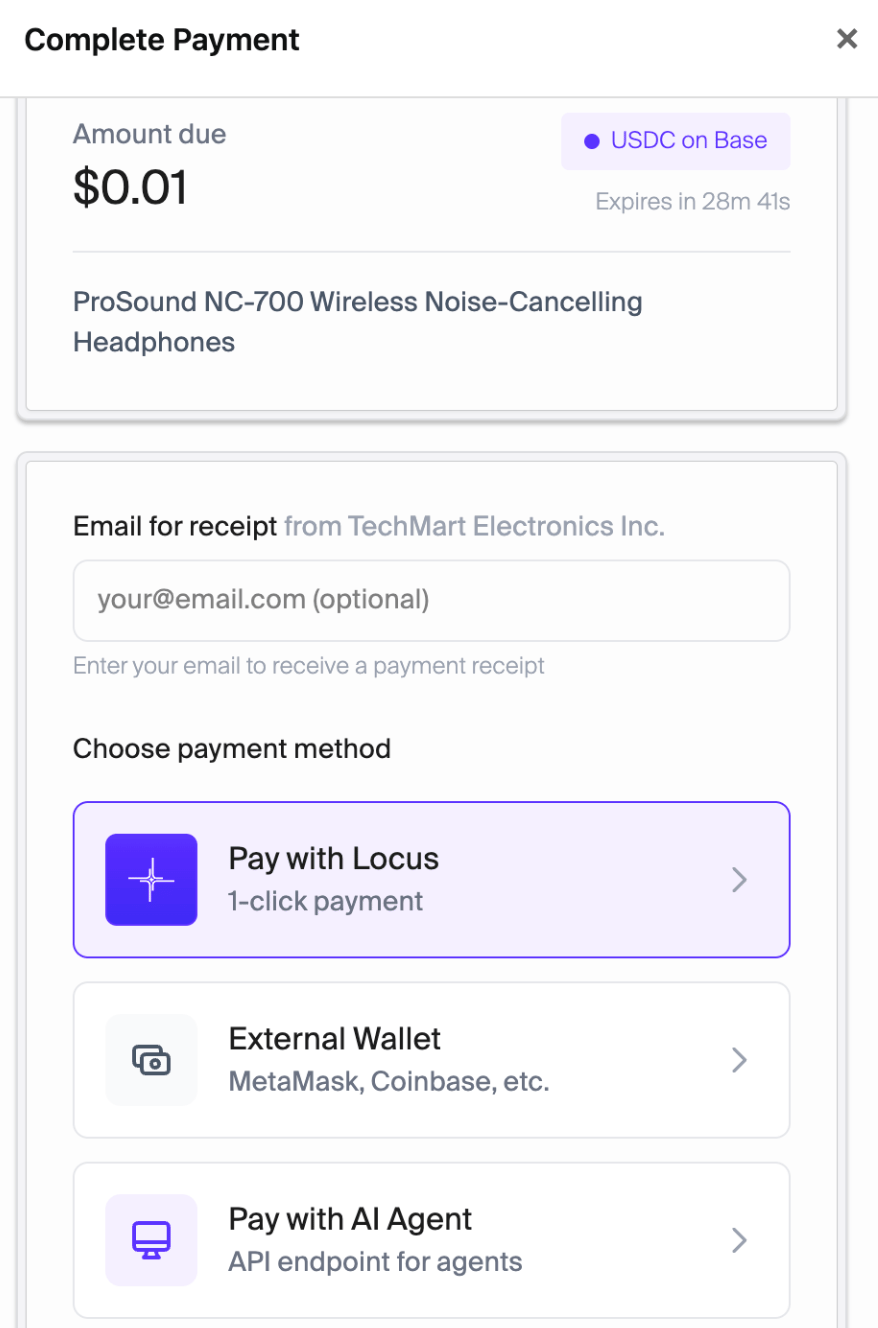
Choose a payment method
Receipts and payment confirmation
Attach line items, tax, seller details, and support information to a session. The checkout page displays the receipt, and the buyer can find it later in Purchases. When a payment is confirmed on-chain, Locus sends your server a webhook. The React component also callsonSuccess so your UI can show confirmation. Verify the webhook signature before fulfilling an order.
Merchant dashboard
Track revenue, session conversion, and payment methods in the dashboard. Group sessions by checkout instance to compare different integration points.
Checkout analytics
Sessions
Locus creates the session ID and checkout URL for you. Sessions expire after 30 minutes by default.
Only pending sessions can be modified.
Next steps
Integration example
Create a session and show checkout.
Merchant integration
Configure the SDK and payment webhooks.
Buyer and agent guide
Pay with a wallet or your agent.